

Vexel Studios
v1.2.0 is the stable visual foundation
Mine-imator Vexel Build v1.2.0 is now the stable supporter release. It brings the beta work together into one proper release: volumes, HDR glow, auto updates, curves color control, renderer naming cleanup, and the future Beacon direction.
This does not mean everything is suddenly final forever. Supporters received this release first under the original launch plan. The v1.2 line became public with v1.2.3 on July 20, and later v1.2 patches ship to Community immediately.
The main point of v1.2.0 is that the current feature set is no longer just scattered beta work. It is a cleaner base we can keep building on.
Volumetric rendering
Main feature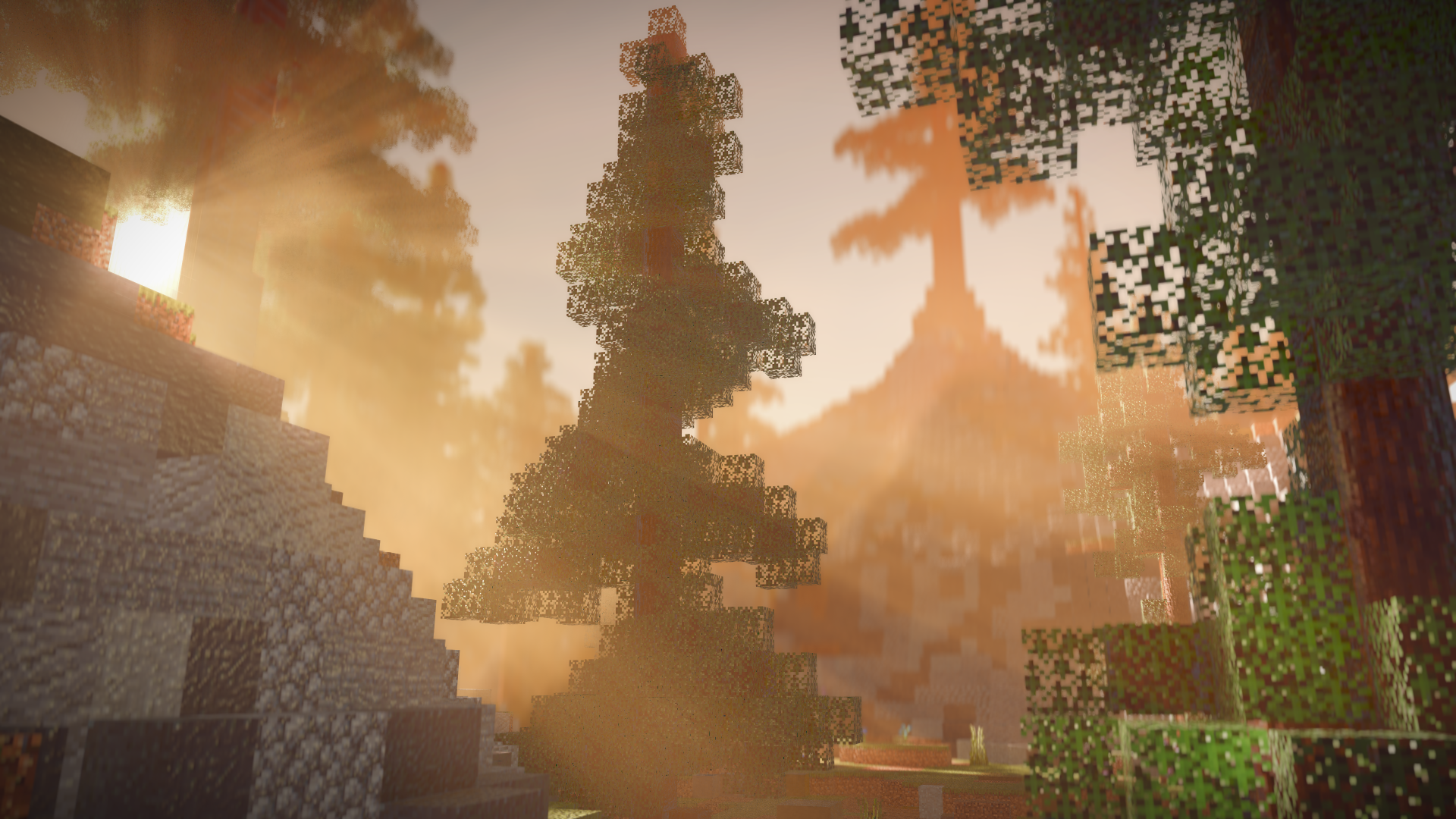
The biggest feature here is volumetric rendering. You can add volume objects to scenes for fog, smoke, clouds, mist, light beams, and other atmosphere that would normally need a lot of tricks.
There are controls for color, density, scattering, absorption, edge softness, noise, wind, turbulence, lighting, shadows, self-shadowing, light rays, and quality. It is a lot, but that is needed if volumes are going to work for both subtle fog and more stylized shots.
Do keep performance in mind. Volumes can get heavy fast, especially when they cover too much of a scene. The best approach is to only use the blocks or areas you actually need animated or visible, and avoid filling the whole project with volume objects just because you can.
HDR glow and bloom
New system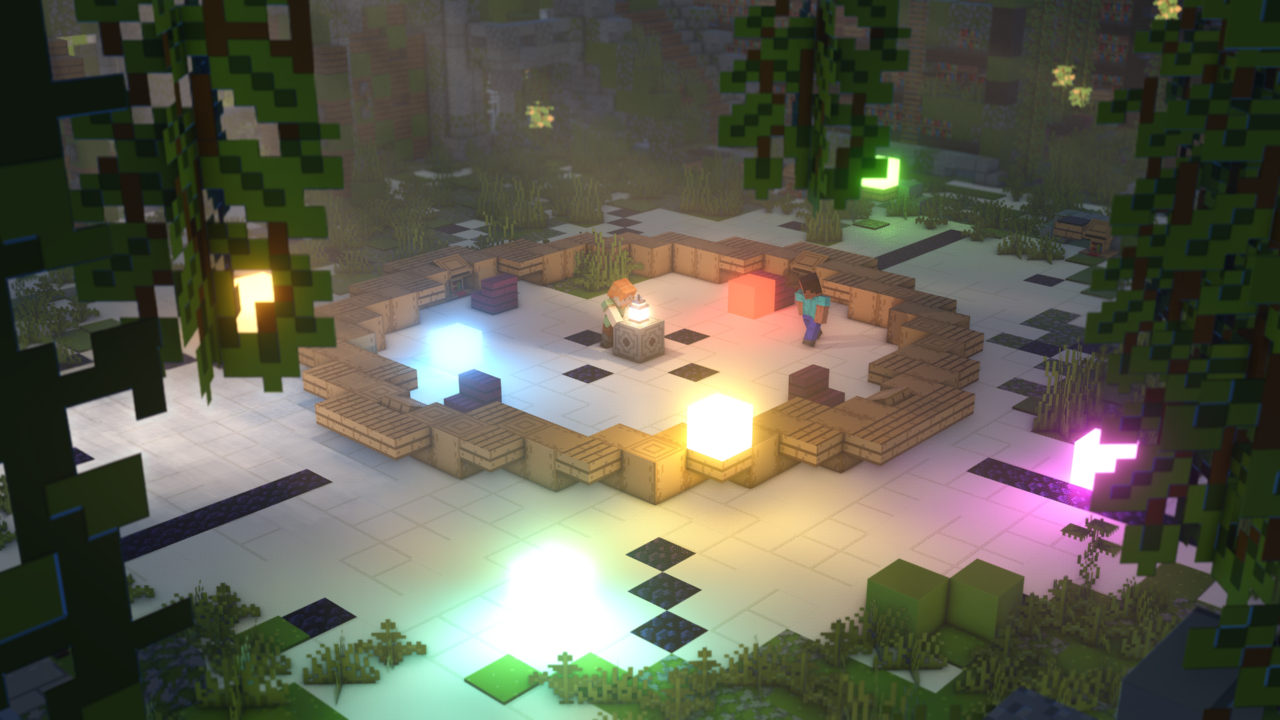
HDR glow is not just the old glow effect with a new label. It is a new glow and bloom system built around HDR values, so very bright materials have more room to affect the final image properly.
That helps emissive blocks, lava, custom materials, and stylized lighting feel stronger without having to fake everything manually.
This release also includes stability work around that render path, including a Direct3D startup crash caused by AgX tonemapping code failing during release shader-cache compilation.
Torch, Preview, and Final rendering
v1.2.0 also cleans up renderer naming. Torch is the active realtime renderer name now, and the old Vanilla and Vanilla+ selection paths are no longer shown as active choices.
The old High quality wording has also been renamed to Final rendering. Preview is the faster working mode, Final is the cleaner output mode. It is mostly a naming and UI cleanup, but it makes the settings less confusing.
Old projects and settings still load. The compatibility keys are still handled, so this did not need a project format bump.
Beacon renderer roadmap
Beacon is shown as the future renderer direction, but it is not available in v1.2.0 yet. The renderer selector keeps Torch active and leaves Beacon disabled for now.
Beacon is where we want to do heavier final-render lighting work later on. Torch is still the realtime renderer you actually use today.
We are showing Beacon early so the direction is clear, not because it is secretly ready.
Auto updates
Auto updates are a big part of making Vexel Build easier to use long term. The app can check the website for the right build, download the installer through the protected update route, and hand off to the installer instead of making everyone hunt for the correct file manually.
The updater also respects release channels. Community, Supporter stable, and Supporter beta all have their own rules, and beta-channel users can still be offered a stable release when that stable version is newer than the beta they are on.
Curves editor
The Curves render setting gives more control over the final image without leaving Mine-imator. It is meant for color and contrast shaping at the end of the render, so you can push the look of a scene more directly.
This is especially useful together with HDR glow and volumes, because both can change the brightness and mood of a shot a lot. Curves give you another way to tune that final result instead of only changing lights and materials.
What this release is really about
That is the main shape of v1.2.0: volumes for atmosphere, HDR glow for stronger emissive renders, auto updates so people can actually stay current, curves for final color control, cleaner rendering names, and Beacon as the future renderer direction.
There are smaller fixes in the release too, but those are the parts that matter most for this article. This version is the base we want people testing, using, and giving feedback on before the next round of rendering work.
Topics